You just wrapped a marathon stream. The VOD is sitting there — six, eight, maybe twelve hours of gameplay — and somewhere in there are the three clutch plays, the funny tilt, and the chat-meltdown moment that could blow up on TikTok or Reels. The problem is finding them. Scrubbing a long VOD manually is the single most soul-crushing part of being a content creator, and it's why most great moments never make it off Twitch.
This guide shows you how to clip a long Twitch stream fast — without scrubbing, without watching the whole thing back, and without an editing degree. The short version: stop hunting frame by frame and let AI read the entire VOD for you, then jump straight to the moments that already proved they were good.
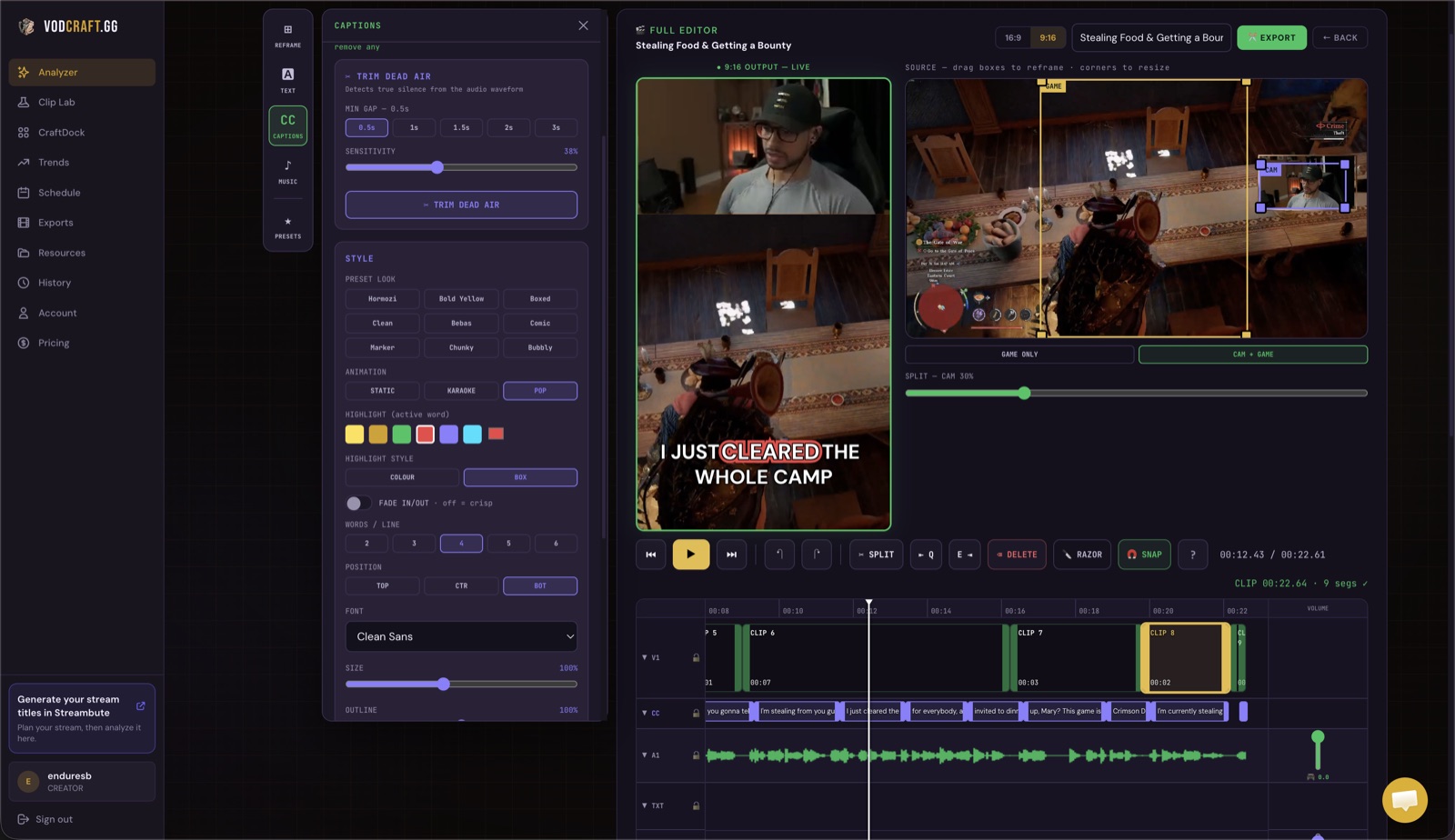
VODcraft surfaces ranked clip-worthy moments across a full VOD — no scrubbing required.
Why Clipping a 6-Hour VOD Manually Is a Trap
The math is unforgiving. To reliably find your best moments in a 6-hour VOD, you'd have to re-watch most of it — and that's before you cut, reframe, and caption a single clip. Most gaming streamers fall into one of two traps:
- The skim-and-miss trap: you fast-forward through the VOD, your eyes glaze over, and you blow right past the moment that would've actually popped off.
- The never-do-it trap: the VOD feels so big that you put it off, the stream gets stale, and a week of clip-worthy content quietly expires.
General-purpose clip tools don't fully fix this either. Most were built for talking-head podcasts and webinars — they look for silence and speaker changes, not the things that make gaming content go viral. A perfect 1v5 clutch is often dead silent until the kill, and a tilt meltdown looks like noise to a tool that doesn't understand the game or the chat reacting to it.
The Fast Way: Let AI Scan the Whole VOD
VODcraft was built specifically for gaming VODs. Instead of making you scrub, it reads the entire broadcast — speech, pacing, and your Twitch chat — then scores every moment for clip potential. A 6-hour VOD that would take you most of an afternoon to comb through is analyzed in minutes, and you're handed a ranked shortlist instead of a 6-hour wall of video.
Two signals do the heavy lifting, and they're the reason this works for gaming where generic tools fall flat:
- Virality scoring: each candidate moment gets a viral-potential score based on what actually performs in gaming clips — hype spikes, clutch moments, reactions, and quotable lines.
- Chat-spike detection: your live audience already told you what was good. VODcraft reads Twitch chat activity, so a sudden flood of POGs, emote spam, or "CLIP IT" is treated as a strong signal that something happened right there.
On top of scoring, VODcraft does narrative-arc analysis — it shapes each suggestion so it has a real setup and payoff instead of a random 30 seconds yanked out of context. That's the difference between a clip people watch to the end and one they swipe past.
How to Clip a Long Twitch Stream Fast — Step by Step
Paste your Twitch VOD link
Open VODcraft and drop in the URL of your past broadcast. There's no giant file to download or upload first — it pulls the VOD directly, so even a 12-hour stream starts processing right away.
Let the AI scan the entire stream
VODcraft transcribes and analyzes the full VOD in minutes — reading speech, gameplay pacing, and Twitch chat activity. This is the step that replaces hours of manual scrubbing.
Review 10-15 scored, ranked moments
You get a shortlist of the most clip-worthy moments, each with a timestamp, a virality score, a chat-spike marker, and a quick reason it was flagged. Jump straight to the good parts instead of hunting for them.
Trim, reframe to vertical, and caption
Fine-tune the in/out points, auto-reframe to 9:16 so the action stays centered, and add captions — all in the built-in editor. No round trip to a separate app.
Export a Reel or editor-ready XML
Export a finished vertical Reel that's ready to post, or export an editor-ready XML to keep polishing in Premiere, DaVinci Resolve, or Final Cut. Your timeline carries over — no rebuilding from scratch.
That's the whole loop: paste, scan, review, edit, export. A marathon VOD goes from "I'll deal with it later" to a week of posted clips in a single sitting.
Marathon streamer? This is your shortcut.
If you regularly stream 6+ hours, the manual approach simply doesn't scale. Let VODcraft read the whole thing and tell you where the good stuff is.
TRY VODCRAFT FREE →What Makes This Different From Generic Clippers
Plenty of tools can clip video — but few are built around the way long, multi-hour Twitch VODs actually work. VODcraft's edge comes from a few specific things:
- Gaming-native virality + chat-spike scoring — it understands that the loudest moment in a game often comes after a tense silence, and it weighs your live chat's reactions as evidence.
- Narrative-arc and coaching insight — suggestions are shaped to have a hook, build, and payoff, so clips perform instead of just existing.
- A real in-app editor — trim, reframe, and caption without exporting to another tool first.
- Editor-ready XML export — keep full control by finishing in Premiere, DaVinci, or Final Cut, which most one-click clippers won't give you.
Want the full breakdown? See VODcraft vs Opus Clip for a side-by-side comparison, or if your bottleneck is editing rather than finding moments, read how to clip Twitch VODs without editing.
Tips to Clip Even Faster
- Clip while it's fresh. Run the VOD through VODcraft the same day you stream — chat data is richest and the moments are still trending in your community.
- Batch your export. Knock out all your trims in one editing session, then export Reels and XMLs together rather than one at a time.
- Trust the chat spikes. If your audience reacted live, that moment almost always travels well off-platform. Start with the highest chat-spike scores.
- Keep the arc. Resist cutting a clip down to only the kill or the punchline — the setup is what makes viewers stay.
Frequently Asked Questions
How long does it take to clip a 6-hour Twitch stream?
Manually it can eat an entire afternoon. With VODcraft the AI scans the full 6-hour VOD in minutes and hands you 10-15 ranked moments, so you can go from raw VOD to finished, ready-to-post clips in well under an hour.
Do I have to download or upload my VOD first?
No. You paste your Twitch VOD link and VODcraft pulls the broadcast directly — there's no massive file to download or upload before you can start.
How does VODcraft pick the best moments?
It scores moments using gaming-native virality signals and Twitch chat spikes, then applies narrative-arc analysis so each clip has a real setup and payoff instead of a random slice of video.
Can I edit the clips or export to Premiere?
Yes. Trim, reframe to vertical, and caption in the built-in editor, then export a ready-to-post Reel or an editor-ready XML for Premiere, DaVinci Resolve, or Final Cut.
Turn Your Next Marathon VOD Into a Week of Clips
Paste a Twitch link, let the AI find your best moments, and export Reels or editor-ready XML. Free to start — no credit card. Starter $9, Creator $19 when you're ready for more.
TRY VODCRAFT FREE →